PUBLIC LIBRARIES
Your Library. Your Libby.
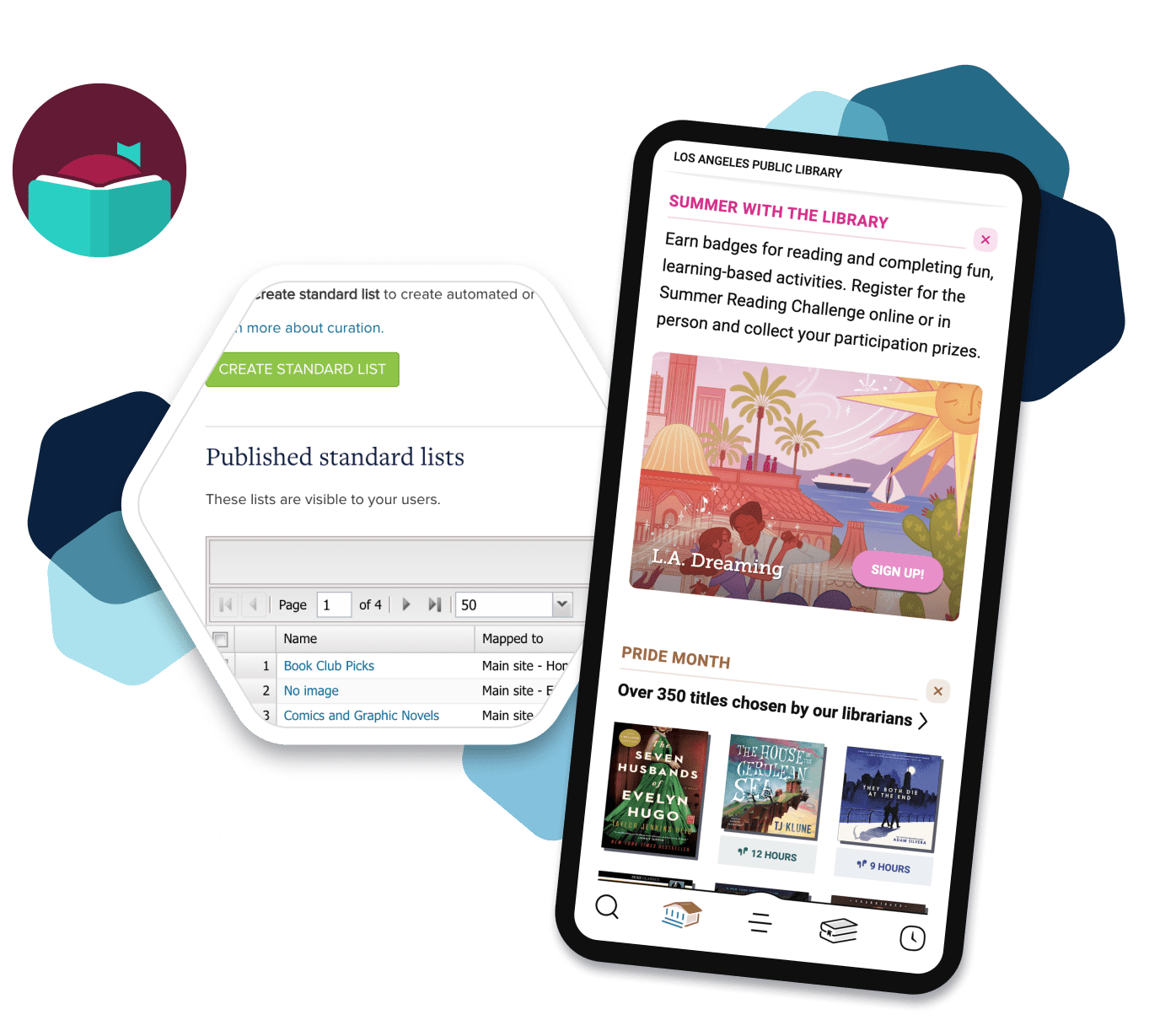
Personalize your library’s collection in Libby.
Leverage OverDrive Marketplace’s suite of tools to connect with more readers, highlight your curatorial expertise, and bring more of your library’s personality into the Libby app.
Featured title campaigns
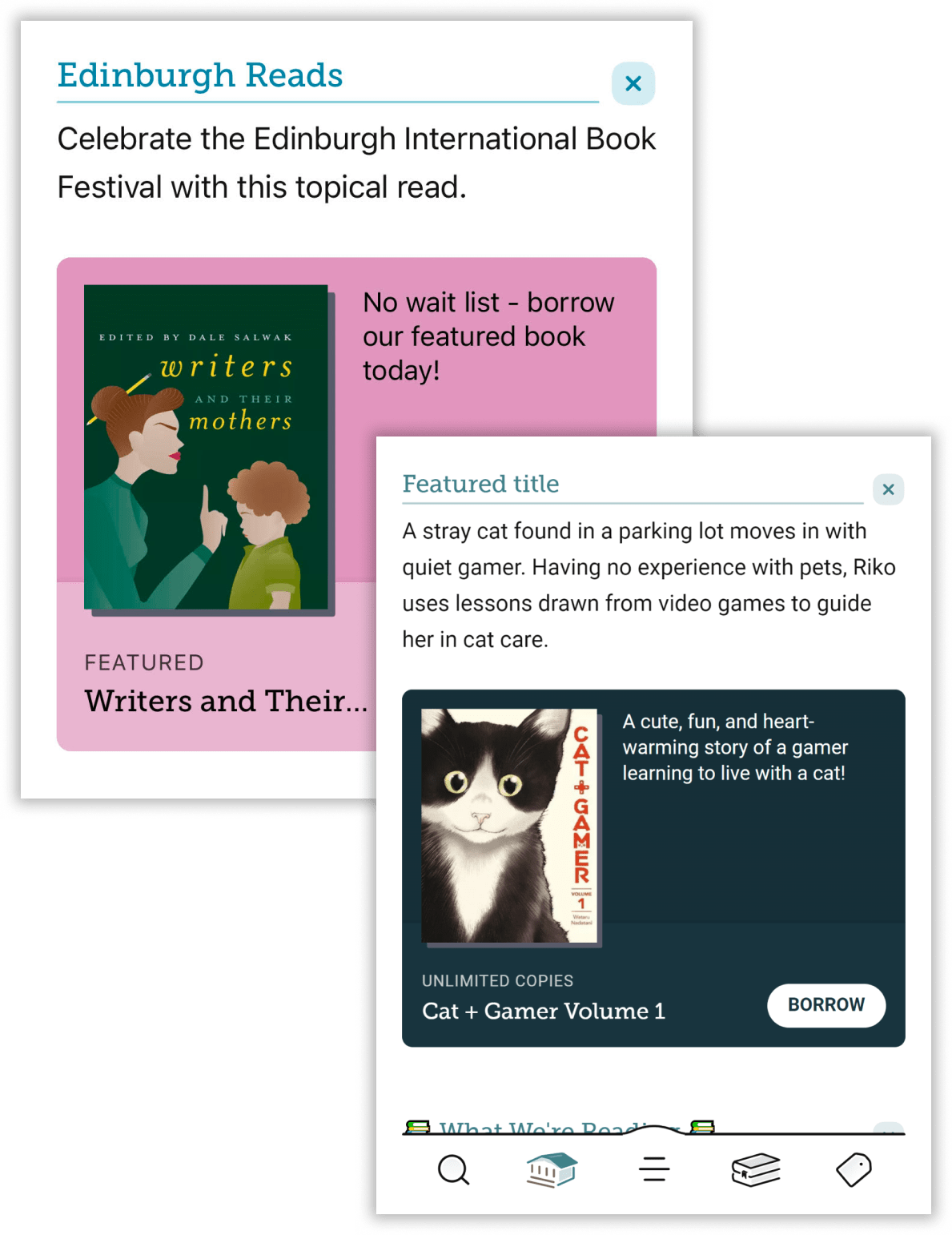
Create a campaign to feature a specific title on Libby’s home screen for a community read, book club, trending topic, author visit, and more.
With the campaign editor in Marketplace, you can customize your campaign’s name and description, schedule start and end dates, and preview how it will appear in Libby before it goes live.
Tips:
- Pick a title in the Subscription or Cost Per Circ lending model to ensure an unlimited number of users can borrow the title while the campaign is active.
- Use share links to promote the title with your users on your library’s website or social media.
- Use a short, snappy campaign name and description.
Learn More:
Donation Campaigns
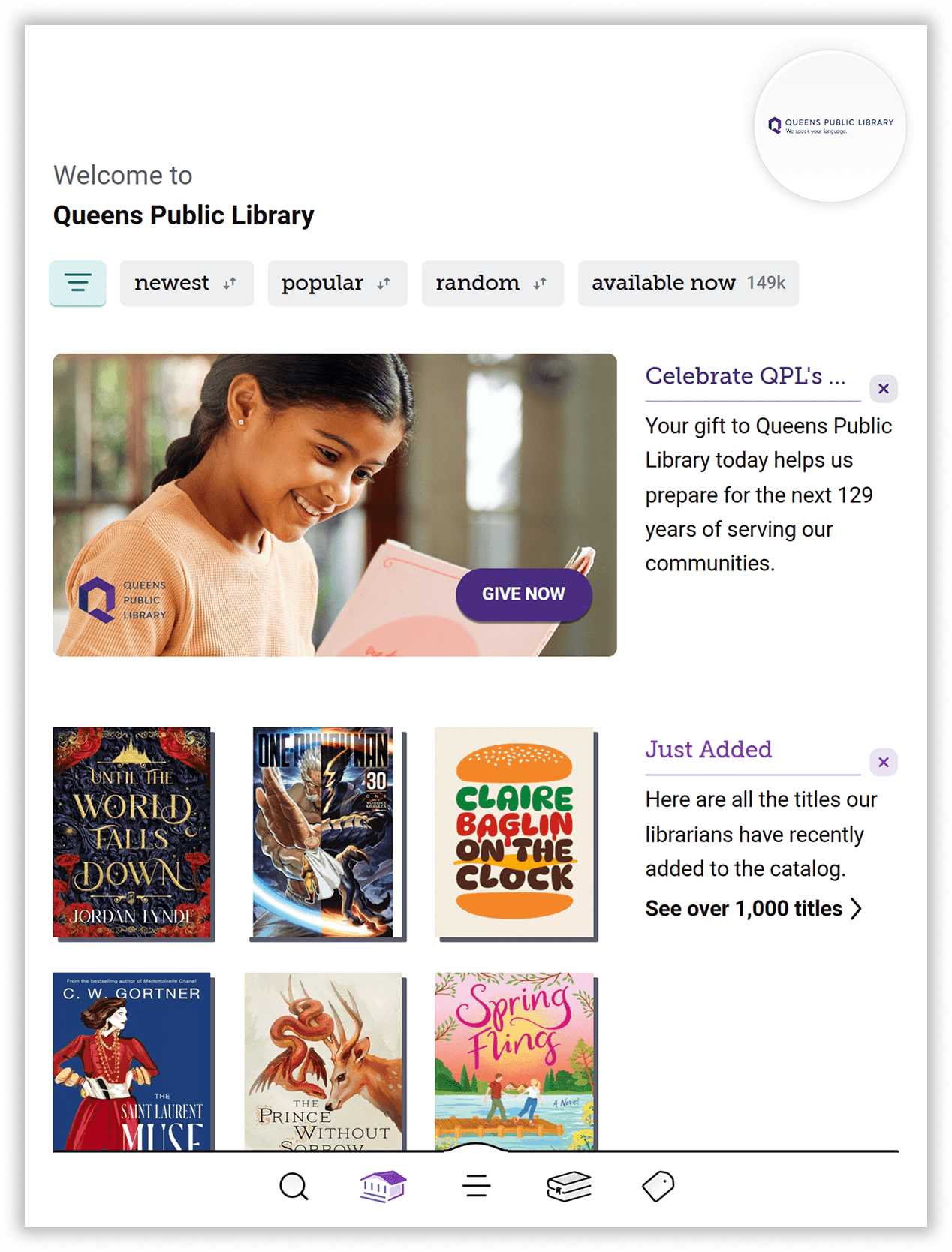
Boost awareness and engagement for your library’s donation or fundraising initiative by integrating a Donation campaign directly into the Libby Home screen. This seamless visibility makes it easier than ever to inspire community support and drive contributions to your cause.
With the Campaign Editor in Marketplace, you have full control to customize your campaign’s name and description, set start and end dates, and preview exactly how it will appear in Libby before it goes live. This ensures a polished and impactful presentation that aligns with your library’s mission.
Take advantage of this powerful tool to highlight your initiatives, encourage donations, and strengthen your library’s connection with the community—all within the Libby app.
Event Campaigns
Maximize engagement and increase signups for your library’s events—whether it’s summer reading programs, story time, workshops, or other exciting activities—by featuring a dedicated campaign directly in the Libby Home screen. This seamless integration helps spread the word, encouraging more patrons to participate and driving foot traffic to your physical library locations.
With the Campaign Editor in Marketplace, you have the flexibility to customize every aspect of your event promotion. Personalize the campaign’s name and description, set precise start and end dates, and preview exactly how it will appear in Libby before launching. This ensures a polished, engaging, and effective presentation that captures the attention of your community.
Take advantage of this powerful tool to showcase your library’s events, connect with patrons, and create buzz—right from the convenience of the Libby app!
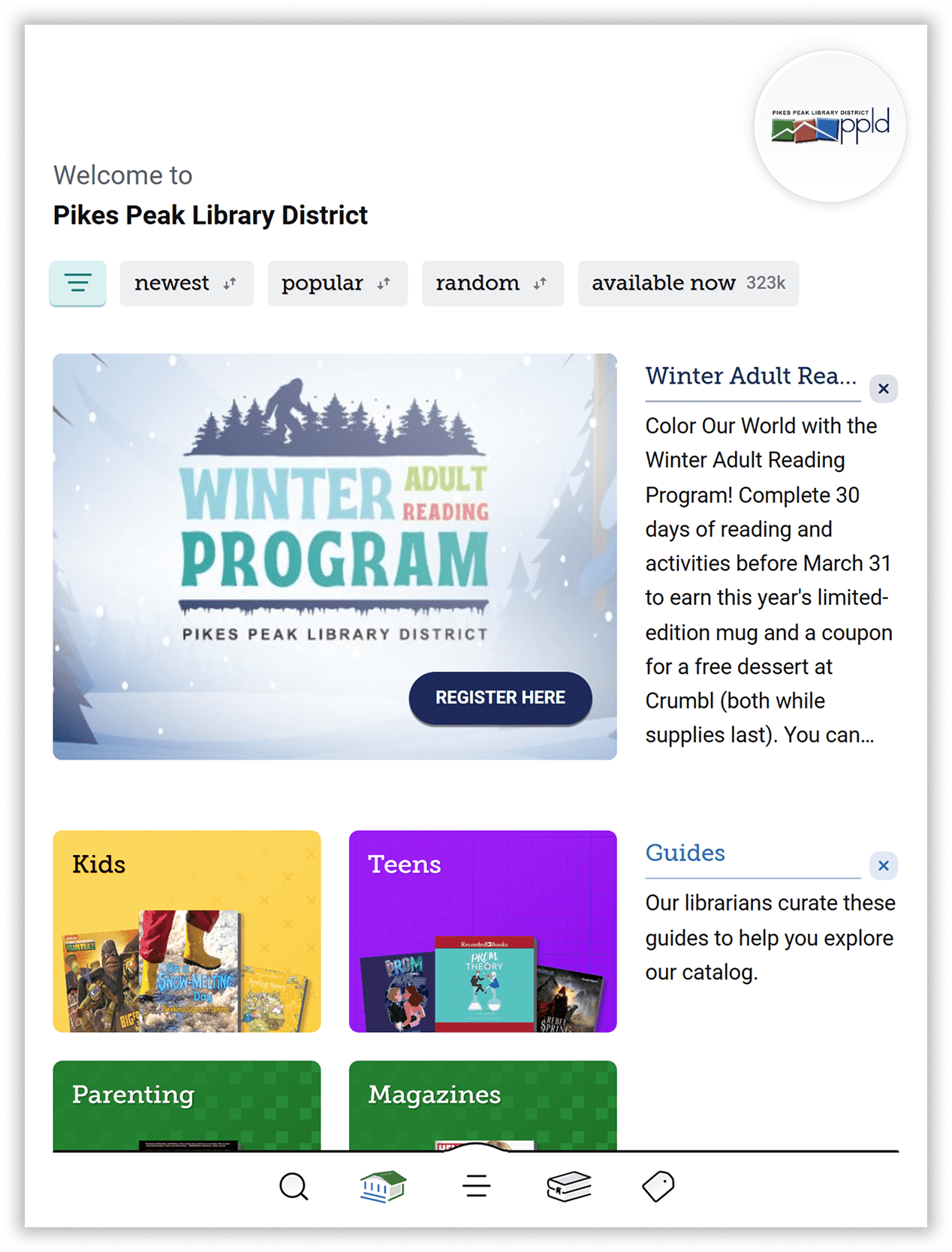
Call-To-Action (CTA) Campaigns
Prompt Libby users to take action to support your library with a CTA campaign. You can use CTA campaigns to promote library fundraisers, surveys, or registration for library programs and initiatives.
Tips:
- Make your CTA campaign actionable, prompting users to do something right now.
- Personalize your campaign with custom copy and images.
- Take users outside the Libby app to a dedicated destination hosted by your library (i.e., to a survey, donation or sign-up page, etc.).
CTA campaigns are coming soon to the campaign editor in Marketplace. In the meantime, contact your Account Manager to get started with a CTA campaign today.
Learn More:
“This year’s fifth annual Library Giving Day campaign inspired hundreds of supporters to step up and make contributions to the library they love. Being able to reach Libby and OverDrive users helped to promote our matching gift offer and contributed to the overall success of the campaign.”

-Elizabeth Morrel, Brooklyn Public Library
Curated Lists
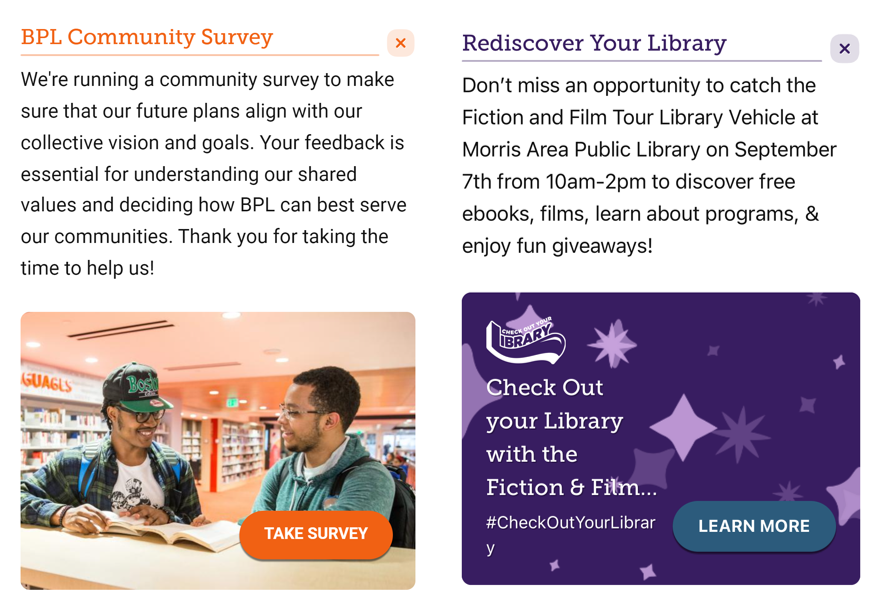
Engage your community of readers by showcasing the titles, topics, and genres they’re most interested in. With curation, library staff can hand-pick titles for users to discover on your Libby home screen and in catalog guides.
Tips:
- Spotlight topical or seasonal trends, like a list of books that will soon be movies or TV shows, read-alikes for popular titles, or holiday-themed titles.
- Make the most of your collection with curated lists that tie into author events or library initiatives, share staff picks, promote backlist titles, show available titles first, and more.
- See recommended lists created by OverDrive librarians for new ideas.
- Review list activity from the Patron interests dashboard in OverDrive Marketplace.
Learn More:
Shelf talkers
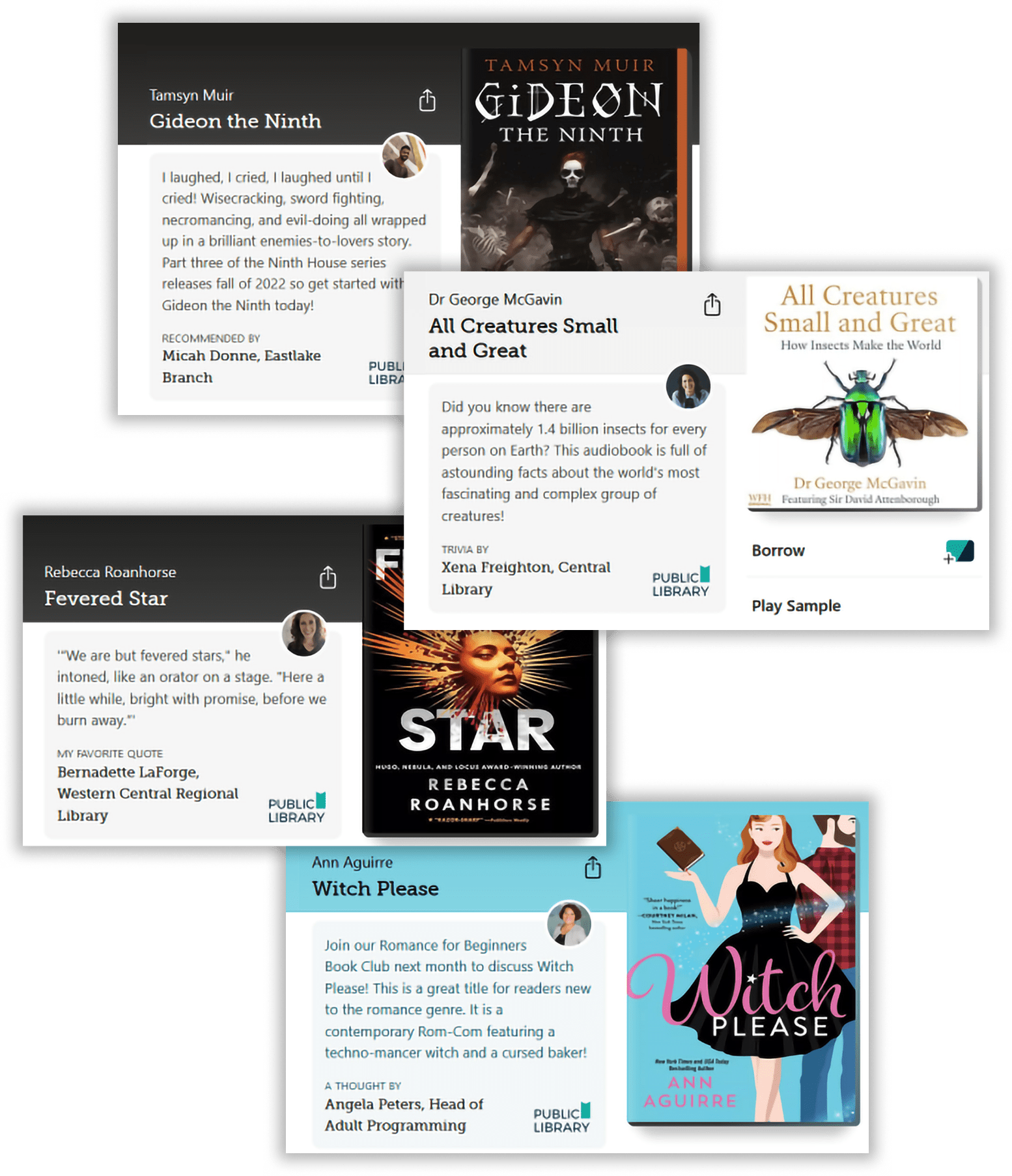
Use shelf talkers to add personal notes to titles in your collection. Shelf talkers help you connect with readers in Libby by recommending titles, providing fun facts or trivia about a title or author, sharing favorite quotes, and more. Shelf talkers are shown prominently on a title’s details page in Libby.
Tips:
- Schedule shelf talkers to keep them fresh and timely.
- Attribute notes to specific library staff to showcase their expertise and unique voice.
- Create a curated list of titles with shelf talkers.
Learn More: